
OV-TOOLS-PCB-TOOL · v0.2 · 2026-08-17Download PDF
| Doctype | Tool Manual |
|---|---|
| Doc id | OV-TOOLS-PCB-TOOL |
| Product line | openvvvf |
| Applies to | openvvvf-control-module, chassis-size-2 |
| Version | 0.2 |
| Date | 2026-08-17 |
| Description | Browse released PCBs by part number: renders, interactive assembly, schematics, and fabrication files. |
| Nav order | 602 |
| Normative refs | OV-TOOLS-INDEX |
PCB Tool
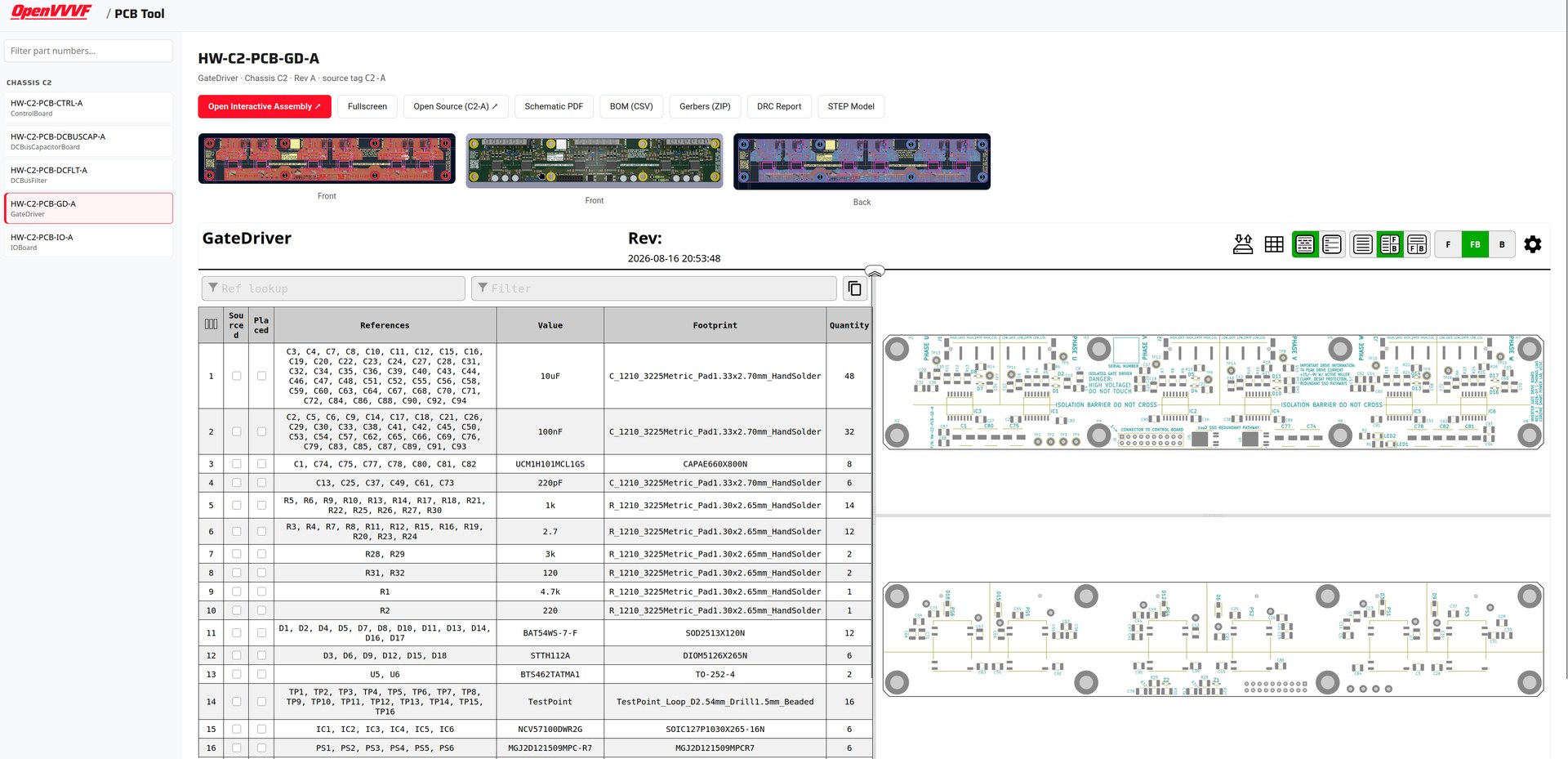
The PCB Tool lists every released board revision by part number (e.g. HW-C2-PCB-CTRL-A). Selecting a board shows its renders and the interactive assembly tool inline, plus the schematic, BOM, fabrication files, and a link to the hardware repository at the release tag, all generated from the hardware repository's release tags.
Using the tool
- Open the PCB Tool.
- Pick a part number from the list (use the filter box to search by part number or board name).
- Browse the board renders and the embedded interactive assembly view; use Fullscreen for a larger view, or Open Interactive Assembly to launch it in a new tab.
Direct links work too: append #<part-number> to the URL, e.g. pcb-tool.html#HW-C2-PCB-CTRL-A.
Available per board
- Interactive assembly (iBOM): embedded on the page; click components to locate them on the board.
- Open Source: the hardware repository at the exact release tag this revision was built from.
- Schematic PDF: full board schematic as released (
<part-number>-schematic.pdf). - BOM (CSV): bill of materials exported from the schematic (
<part-number>-bom.csv). - Gerbers (ZIP): fabrication package, gerbers + drill files (
<part-number>-gerbers.zip). - DRC report: design-rule check result at release time (
<part-number>-drc.txt). - STEP model: 3D board model (
<part-number>.step). - Ordering specifications: if the hardware repo has a
fab_spec.yamlbeside the board's KiCad project (e.g.Boards/ControlBoard/fab_spec.yaml), it is shown on the page as a spec table plus notes: copper weight, surface finish, tapped holes, etc. Chassis-wide notes that apply to every board (e.g. serial-number barcodes) live inBoards/fab_defaults.yaml.
Where the data comes from
Artifacts are exported from InverterGen5 release tags by the HWRelease tool (make hw-update) and stored in Data/Releases/, indexed by part number in Data/Releases/manifest.json. The page itself is regenerated from that manifest with hwrelease build-viewer (runs automatically after update).